The boulders you fancy.
Photos, grades, colours and routesetters. Add a location if you want to find your saved climbs nearby.
 Boulder LogClimbing notes
An indoor bouldering notebook
It always looks easier
from the ground.
Think you can flash it? Log your attempts. Remember what to try next.
Free to use. Optional lifetime unlock. No subscription.
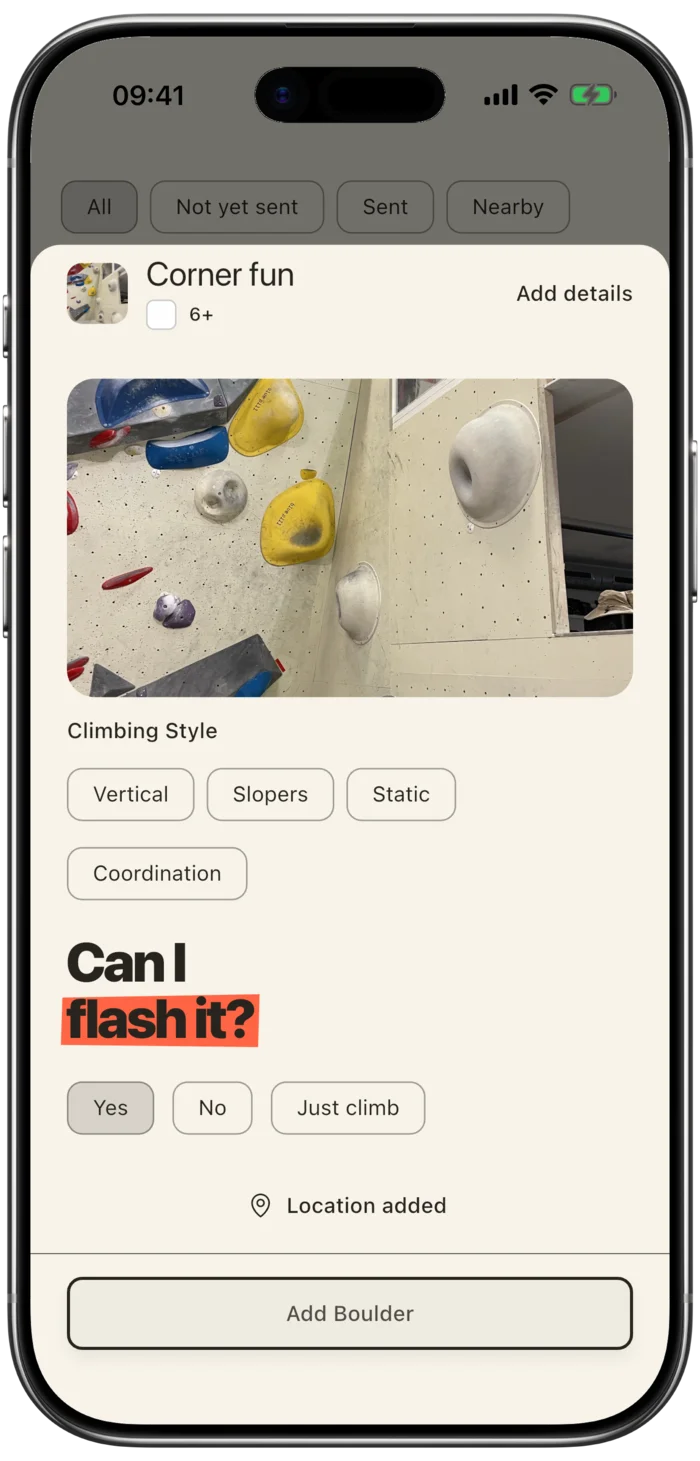 A little optimism never hurt.
02 / Meet the wall
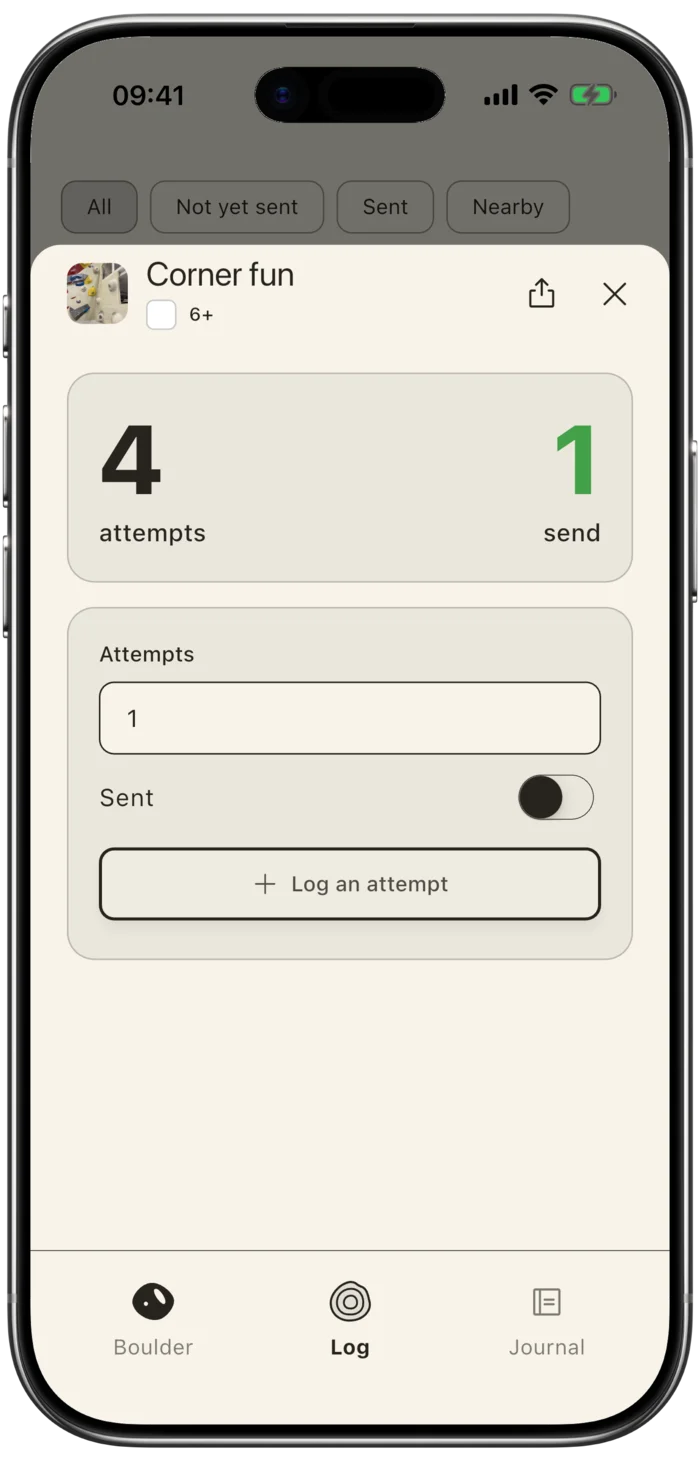
Every try counts.
So does the send.
Log one attempt or a few. Count your sends. Keep the first-send result beside your original prediction, even when you come back for another go.
Not in the mood to predict?
“Just climb” is always an option.
03 / A note to future you
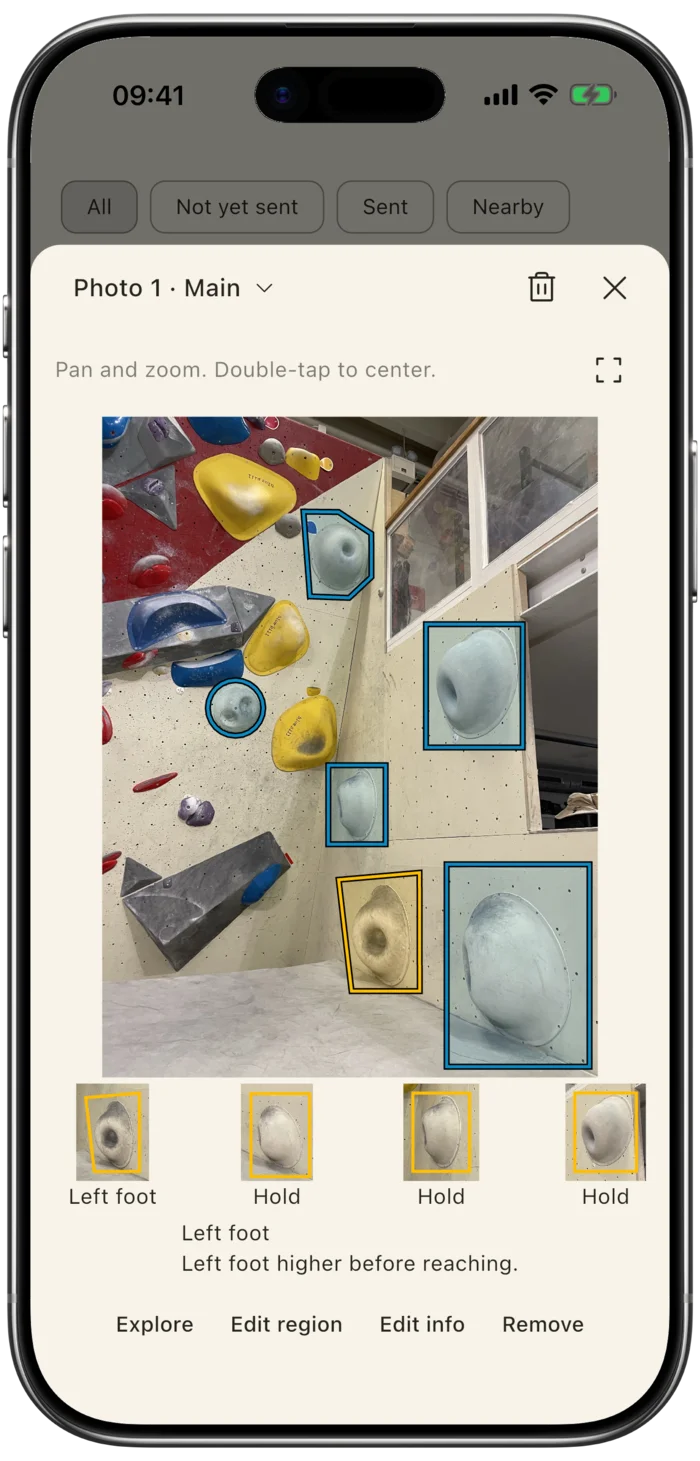
Keep the move
that almost worked.
Outline a hold on your photo. Attach a hold or a pin to an attempt note. Leave yourself something useful for the next visit.
Less “what was my beta again?”
Your climbing, kept together
Photos, grades, colours and routesetters. Add a location if you want to find your saved climbs nearby.
Attempts, sends, climbing days and prediction feedback. See how your climbing changes over time.
Share a boulder’s photos and details in a .boulder file. Your friend opens it in Boulder Log and starts their own log.
No account required. Export your collection, photos and climbing history as a complete backup.
Support / Questions & answers
The app, rather than the climb? Ask a question, report a bug or tell us what could feel better.
chris@learnalist.netFor a bug, your device, iOS version and what happened are a useful start. Only send photos or logs you’re comfortable sharing.
No. Your boulders, photos, attempts and notes are stored locally in the app. You don’t need a Learnalist account.
Logging, photos, notes and insights are free. Boulder Log includes climbing quotes at startup and occasionally between logs. A one-time purchase lets you choose when they appear, or switch them off, and supports independent development.
No. Predict a flash, choose how many attempts you think it’ll take, or choose “Just climb” to track attempts and sends without a prediction.
Yes. Keep adding attempts and sends to the same boulder. Your first-send result stays available in Journal.
No. Location is optional. Add it to a boulder if you want to find it nearby later. Logging an attempt doesn’t need a new location.
Use Share on the boulder’s info screen to create a .boulder file. You can choose whether to include location and climbing history. The recipient opens it in Boulder Log and starts their own personal log; your attempts don’t become theirs.
Open the menu, then Your data → Export everything, and save the backup outside the app using Files. It includes your collection, photos, history and personal preferences. Keep a copy somewhere safe before deleting the app or changing devices.
Restore backup validates the file and shows what it contains before you confirm. Restoring replaces the current collection rather than merging it. Your device’s purchase state is kept separately.
Boulder Log / Climbing notes
Think you can flash it? Add it and see how it goes.
Coming soon for iPhone & iPad
Free to use. Optional lifetime unlock. No subscription.